

For years, MetaMask was the go-to metamask crypto wallet for Ethereum and EVM networks—but Bitcoin stayed outside that experience. That’s now changing: MetaMask has begun rolling out native Bitcoin (BTC) support, meaning you can manage BTC directly inside MetaMask instead of relying only on wrapped versions like WBTC.
So, what does this actually unlock, what doesn’t it do, and how can you start using BTC safely?
What “Bitcoin support” in MetaMask really means
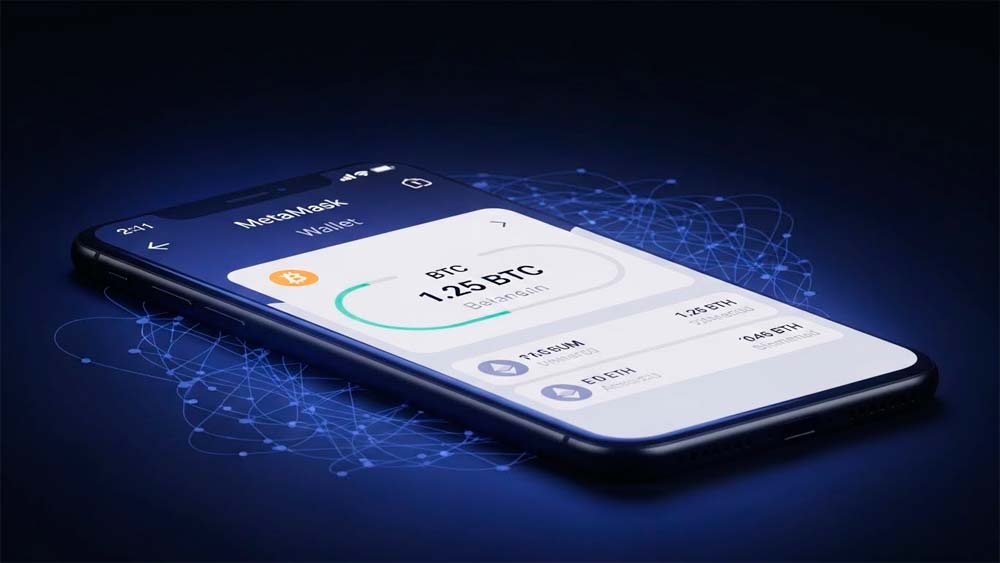
MetaMask supporting Bitcoin doesn’t mean Bitcoin suddenly “runs on Ethereum.” It means MetaMask adds Bitcoin as its own network/account type inside the wallet interface.
In practical terms, you can now:
- Send and receive native BTC from MetaMask (using real Bitcoin addresses).
- View your BTC balance and activity in the same app/extension you already use for EVM assets.
- In some regions, buy or swap BTC through integrated on-ramp/swap providers (availability and fees vary).
The key distinction:
Native BTC support is not the same as using BTC in Ethereum DeFi. If you want Bitcoin liquidity inside Ethereum apps, you’ll still need bridges, wrapped assets (like WBTC), or other integrations.
Why this matters for everyday users
A lot of people switch between Bitcoin (long-term holding, simple transfers) and Ethereum/EVM networks (DeFi, dApps, NFTs). Until now, that usually meant using two separate wallets.
By adding BTC support, MetaMask is clearly pushing toward a more unified, multi-chain experience—something that also fits with its broader ecosystem, including tools that look more like a metamask crypto exchange layer (in-wallet swaps and third-party routing) rather than just a basic wallet.
How to use Bitcoin in MetaMask (step by step)

- Update MetaMask to the latest version (mobile app or browser extension).
- Open the account/network area and look for the option to add/enable Bitcoin.
- Once enabled, MetaMask will generate/show your Bitcoin address.
- Do a small test transfer first before moving larger amounts.
- Double-check you’re sending on the Bitcoin network and to the correct BTC address format.
Bitcoin transactions are irreversible—so slow and careful beats fast and sorry.
Pros and cons you should know
Pros
- One interface for BTC + EVM assets (better day-to-day UX).
- Less friction if you regularly move between Bitcoin and Ethereum.
- You can hold BTC natively without needing wrapped tokens just to “see it” in MetaMask.
Cons / risks
- More features can mean more ways to make mistakes (especially with phishing or fake sites).
- Buying/swapping depends on third-party providers in many cases, so fees and availability can vary widely.
- MetaMask is still a hot wallet by default—great for convenience, not ideal for large long-term storage.
Security best practices (don’t skip these)
- If you’re handling meaningful amounts, use a hardware wallet.
- Store your seed phrase offline (never screenshots, never cloud notes).
- Watch out for fake “MetaMask updates” and clone websites.
- Always do test transactions before big transfers.
- Be cautious with anything that looks like a “free bonus” or “exclusive airdrop.”
FAQ
Does MetaMask support Bitcoin natively?
Yes. MetaMask now supports BTC so you can send, receive, and manage Bitcoin directly within the wallet.
Does MetaMask accept Bitcoin now?
Yes—BTC can be managed inside MetaMask, making it easier to handle Bitcoin alongside EVM assets.
Can you store Bitcoin in MetaMask?
Yes. You can store BTC in MetaMask, view your balance, and manage transactions from the same interface.
Can I use MetaMask for Bitcoin?
Yes. You can use MetaMask to send and receive BTC. However, using BTC in Ethereum DeFi still typically requires wrapped assets or bridging solutions.
Do I need WBTC to have Bitcoin in MetaMask?
Not for holding or transferring native BTC. WBTC is mainly used when you want Bitcoin exposure inside Ethereum-based DeFi.
Can I send BTC from MetaMask to an exchange?
Yes—just make sure you’re sending via the Bitcoin network to a valid BTC deposit address, and check fees/confirmations.
Final take
MetaMask adding Bitcoin support isn’t a “DeFi revolution,” but it is a major usability upgrade for users who live across chains. It’s also another step toward MetaMask becoming more than a wallet—closer to a hub that blends storage, swaps, and payments (and potentially complements products some people associate with a metamask crypto card experience, depending on region and availability).
If you try it: start small, double-check everything, and treat security as part of the workflow—not an afterthought.